AI Copilot
The master switch for live assistance. Reads each incoming message and posts insights into the Copilot panel. The six helpers below run inside it.
AI & AI Agents
Teloring's AI sits where your reps already work. Copilot drafts the reply and reads the room. An AI Agent takes the whole conversation, answers from your knowledge base, collects what you need into the CRM, and hands over to a human at the right moment.
Flagship
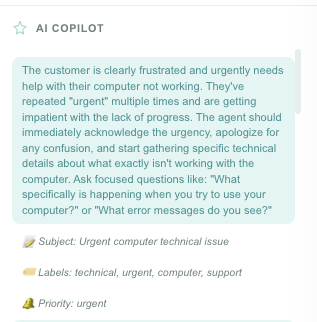
Copilot reads each incoming customer message in the background and posts what it finds into the panel beside the conversation: a suggested reply, an answer from your knowledge base, the customer's mood, a subject line, labels, and a warning when the conversation is going wrong.
Autonomous
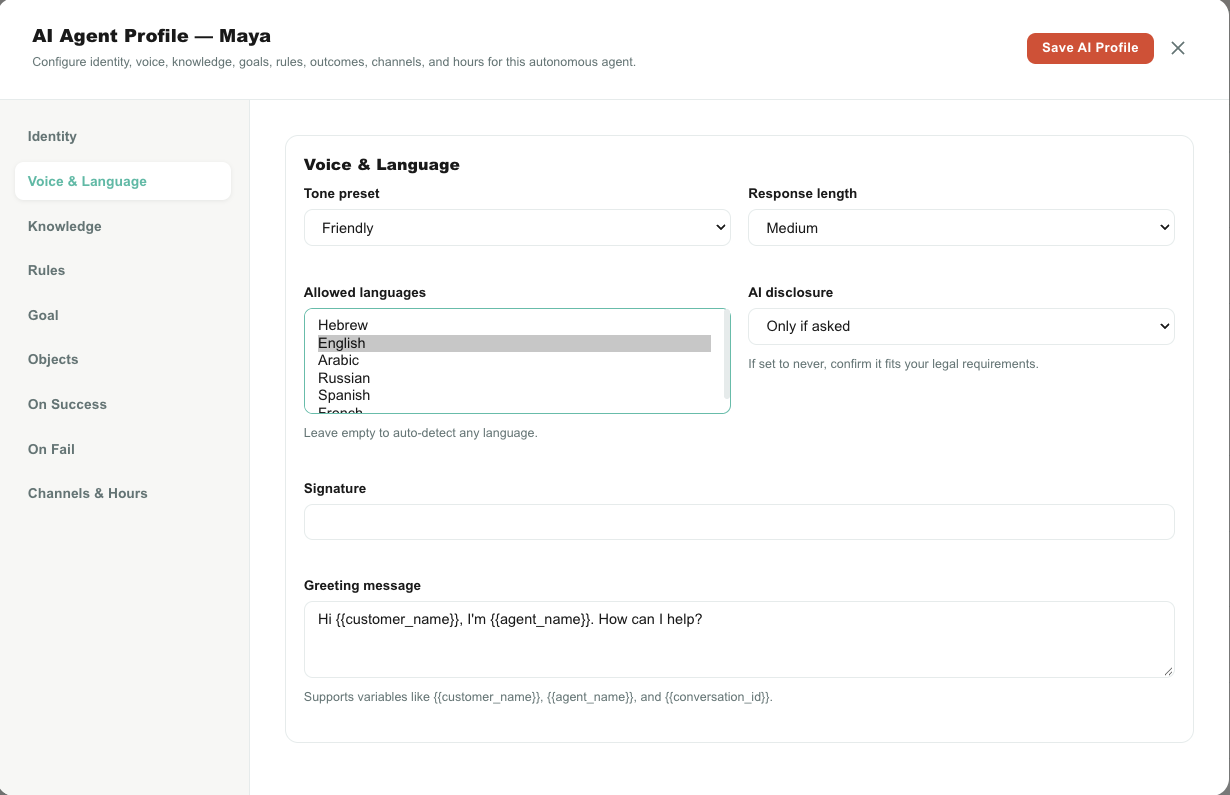
An AI Agent is a conversation participant, not a suggestion box. Assign one from the same "Assigned to" menu you'd use for a person, and it greets the customer, answers, collects data and closes, or escalates. Each active AI Agent counts as one seat.
AI World
Every capability is a card with a switch. Off by default: nothing goes to AI until an admin turns it on, and it applies to the whole account the moment they do.
The master switch for live assistance. Reads each incoming message and posts insights into the Copilot panel. The six helpers below run inside it.
Real-time coaching in the panel: how to respond, what the customer seems to need, which tone fits. Tips reappear as the conversation develops.
Writes a short, clear subject line once it understands the topic, and only when the conversation doesn't already have one.
Tags the conversation with category labels such as billing, refund or technical, creating them if they don't exist. Up to five, and only when you haven't labelled it yourself.
Watches for a customer about to cancel or leave and raises an alert explaining what triggered it. It can also start a Studio flow.
Spots interest in buying, upgrading or spending more, and flags it for the rep before the moment passes.
Judges how urgent the conversation is and sets its priority, but never overrides a priority a person set by hand.
A ✨ button in the composer: improve, fix spelling and grammar, expand, shorten, friendly, formal, simplify, or translate into the customer's own language.
On resolve, a 2–4 sentence summary of the topic, what the customer needed and how it ended, written in the conversation's language and saved as a private note.
Scores the customer's overall mood on a 20-point scale, from appreciative and happy through neutral to frustrated, angry and threatening. Feeds Analytics and can trigger Studio.
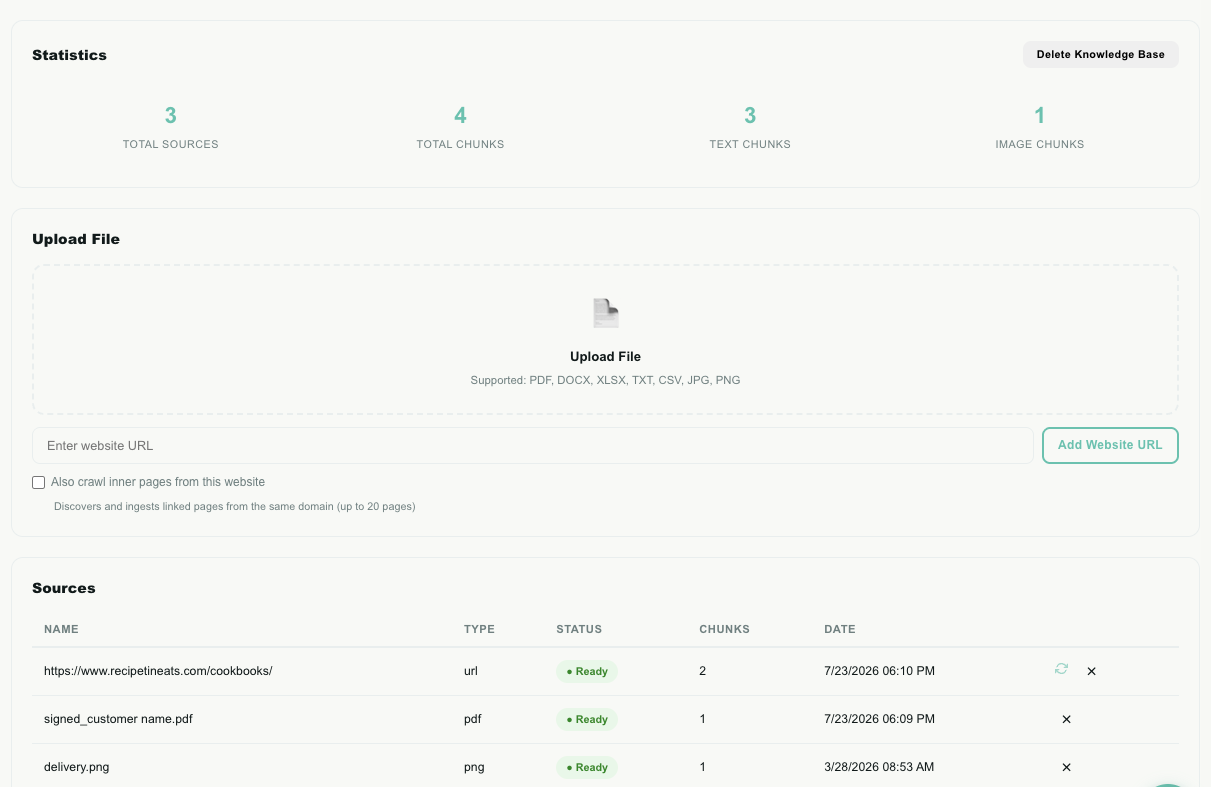
Unlocks the Knowledge Base page and lets Copilot answer from your approved content. Upload PDFs, Word, Excel, CSV, text and images, or crawl a website.
Describes every image a customer sends (objects, brands, documents and any visible text) and attaches the description to the message.
Build a Studio flow with Hermes. Describe the workflow in plain language, answer a few focused questions, and receive a complete draft with blocks, settings and connections ready for review.
Adds a ✨ button to the Analytics report builder so anyone can describe a report in plain language and have the fields filled in for them.
Grounding
Upload files or point Teloring at a web page, and it reads, splits and indexes them. Ask a question in plain language and the answer is built only from what you provided, never from the open internet, never from the model's general knowledge. If it isn't in your content, the AI says so.
Your data
Every capability is off until an admin turns it on. AI only ever reads the conversations, files and records of your own account. Copilot output, summaries and emotion scores are shown to your team, never sent to the customer on their own. Summaries are saved as private notes.
In development
These capabilities appear in AI World as a preview but are not active yet. When released, administrators will manage them from the same control room.
Start free, switch on Copilot, and see what it does with your own messages.